
UPS Systems and Power Protection: An Overlooked IT Essential for Irish Businesses
- Kamran Hussain
- 2 days ago
- 7 min read


Most businesses plan carefully for the technology they can see. The laptops get specced, the network gets mapped, the servers get a proper home in a cooled room. Then everything plugs into the wall, and that's where the planning quietly stops.
The wall socket is treated as a given. Power goes in, work comes out. Until the morning it doesn't, and a flicker on the grid takes down a database mid-write, corrupts a file half the team was depending on, or reboots a server that then refuses to come back cleanly. Suddenly the cheapest, most ignored part of the whole setup turns out to be the one holding everything together.
That's the gap a UPS fills. And for a lot of Irish businesses, it's still the missing layer.
What a UPS Actually Does (and What It Doesn't)
UPS stands for uninterruptible power supply. At its simplest, it's a unit with a battery that sits between your equipment and the mains. When the power is steady, it passes electricity through and keeps its battery topped up. When the power drops, it switches to battery in a fraction of a second, fast enough that the kit plugged into it never notices the gap.
That bridge is the whole point. It isn't there to run your office for hours through a blackout. A typical business UPS gives you somewhere between five and thirty minutes, depending on the load and the unit. That's not a lot of time, but it's exactly enough to do the thing that matters most: shut everything down properly. A server that powers off in an orderly sequence is fine the next morning. One that drops dead mid-operation might not be.
There's a second job too, and it's the one people forget. A good UPS also conditions the power. Irish mains supply is generally reliable, but "generally" hides a lot of small sins, brief sags when heavy equipment kicks in nearby, spikes after a fault clears, the surge that rides in behind a lightning strike. Those aren't dramatic enough to notice, but they wear hardware down and occasionally kill it outright. The UPS smooths them out before they reach anything sensitive.
Why This Matters More in Ireland Than People Assume
The standard reaction is that the grid here is solid, so why bother. And day to day, it mostly is. ESB Networks runs a dependable system. But "mostly" isn't the same as "always," and the exceptions tend to arrive when you can least afford them.
Storm season is the obvious one. Storm Éowyn in early 2025 left hundreds of thousands of premises without power, some for days, and that pattern repeats most winters on a smaller scale. Rural and edge-of-town business parks feel it first and longest. If your operation sits outside a city centre, your exposure is higher than you might think.
Then there's the building itself. A lot of Irish commercial space is older than its wiring suggests, with shared circuits, ageing distribution boards, and neighbouring tenants running who-knows-what. The risk in those settings isn't always a full outage. It's the steady diet of small electrical disturbances that quietly shortens the life of everything you've invested in. Power protection for business isn't really about the once-a-year storm. It's about the noise on the line the other 364 days.
Where Power Protection Fits in Your Wider Setup
It helps to stop thinking of a UPS as a single device and start thinking of it as a layer. You've already made decisions about which machines your team uses and how your network is built. A UPS is the layer underneath all of it, and like any foundation, the question is what's standing on top.
Not everything needs the same level of cover. Your priorities usually sort themselves into a short list: anything that writes data, anything that the whole office depends on, and anything that's a nightmare to restart. In practice that means servers and network-attached storage first, then the core networking gear, your switches and routers, because a working server is useless if nobody can reach it. Individual desktops come further down, and most laptops look after themselves since they already carry a battery.
This is the same kind of thinking that goes into building IT infrastructure that scales properly. The power layer just sits beneath the rest of it, and it tends to be the layer people map last, if at all.
Choosing the Right UPS: The Parts That Actually Matter

Specs on a UPS box can be confusing, so here's what's worth your attention and what isn't.
Capacity. UPS units are rated in VA (volt-amps) and watts. You want a unit whose capacity comfortably exceeds the total draw of everything you're plugging into it, with headroom to spare. Running a UPS at the edge of its rating gives you almost no runtime and stresses the battery. As a rough rule, size for the load you have plus room to grow, not the load on a spec sheet.
Topology. This is the one term worth learning. Cheaper units are "standby" or "line interactive," which is fine for desktops and small setups. For servers and anything that hates even a millisecond of interruption, you want a "double conversion" or "online" UPS, which runs everything through the battery constantly so there's no switchover gap at all. The price difference is real, and so is the protection difference.
Runtime. Be honest about what you need the minutes for. If the goal is a clean shutdown, a few minutes is plenty. If you need to ride through short outages and keep working, you'll want extended battery options. Don't overpay for hours you'll never use.
Management. A UPS that can talk to your server, signalling it to shut down automatically when the battery runs low, is worth far more than one that just beeps in an empty room at 2am. This single feature is what turns a UPS from a noise-maker into actual protection.
If working out the right combination of these feels like guesswork, that's normal. It's exactly the kind of thing our team sorts out as part of a properly specced hardware setup, rather than leaving you to decode datasheets alone.
The Cost of Skipping It
Let's put a frame around the risk without inventing numbers. A UPS for a small server setup is a modest purchase, the kind of line item that's easy to defer when budgets are tight. The thing it protects against is not modest.
Think about what a hard, unexpected power loss can actually cost. There's the immediate hit: a corrupted database, a failed backup job, hardware that doesn't survive the abrupt cut. Then there's the recovery, the hours of IT time spent rebuilding, restoring, and verifying that everything came back intact. And then the part nobody invoices for, the work that simply didn't happen while systems were down and the trust that erodes when a client's request stalls because your power did.
When you stack a one-off equipment cost against even a single bad outage, the maths usually isn't close. This is the same logic that runs through a hardware budget that holds up across the whole year: the cheap-looking gap is often the expensive one.
A Note on Batteries and What Comes After
One last practical point. UPS batteries don't last forever. Most need replacing every three to five years, and a UPS with a dead battery offers exactly as much protection as no UPS at all, which is to say none. It's worth diarising a check rather than assuming the unit you installed years ago is still doing its job.
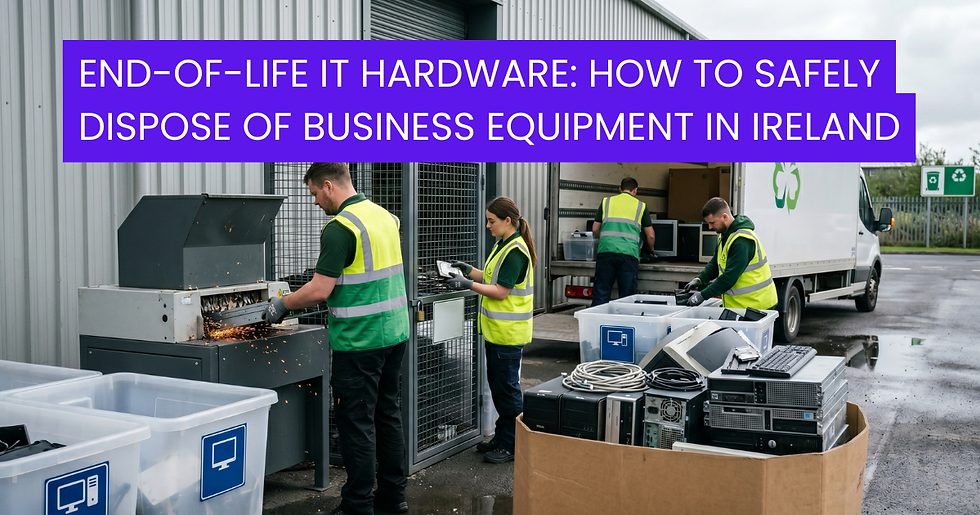
When those batteries do reach end of life, they can't go in the regular bin. They're regulated waste, and handling them correctly matters both legally and environmentally, the same way retired IT hardware needs proper disposal in Ireland. Build that into the plan from the start and it's a non-event. Ignore it and it becomes a problem later.
Getting It Right Without the Guesswork

Power protection is one of those things that's invisible right up until the moment it isn't. The businesses that handle it well aren't the ones with the biggest budgets. They're the ones who treated it as part of the setup rather than an afterthought, and who matched the protection to what they actually needed to keep running.
That matching is the hard part, and it's where having someone who knows the kit makes the difference. If you're not sure what your current setup is exposed to, or what level of protection is right for the way you work, talk to the DataDirect team and we'll help you work it out. No jargon, no overselling, just the right protection for your business. You can also browse the full range of business IT solutions to see how the power layer fits with everything else.
Frequently Asked Questions
What is a UPS system and how does it work? A UPS, or uninterruptible power supply, is a unit with a built-in battery that sits between your equipment and the mains supply. When the power cuts out or dips, it switches to battery instantly so your devices keep running without interruption. It also smooths out surges and sags, protecting your hardware from the small electrical faults that wear equipment down over time.
How long does a UPS last during a power cut? Most business UPS units provide between five and thirty minutes of runtime, depending on the load and the size of the battery. That's usually designed to give you enough time to save work and shut servers down cleanly rather than to keep running for hours. If you need longer coverage, extended battery packs or a generator are the better route.
Do small businesses really need a UPS? If you run anything that stores data or that your whole team relies on, then yes. Even a brief outage can corrupt files, interrupt backups, or force a messy server restart. A UPS for a small business is a low-cost way to avoid losses that are far more expensive than the unit itself.
What size UPS do I need for my office? It depends on the total power draw of everything you want to protect, measured in watts, plus some headroom for growth. Servers and network gear should take priority over individual desktops. Rather than guess from a spec sheet, it's worth having the load assessed properly so you don't end up under-protected or overpaying.
Where can I get help choosing the right UPS in Ireland? DataDirect helps Irish businesses match power protection to their actual setup, from a single server to a full server room. If you'd like a straightforward recommendation with no pressure, get in touch with our team and we'll guide you to the right solution.


Comments