
How Poor IT Hardware Choices Lead to Employee Productivity Loss
- Kamran Hussain
- 17 hours ago
- 7 min read

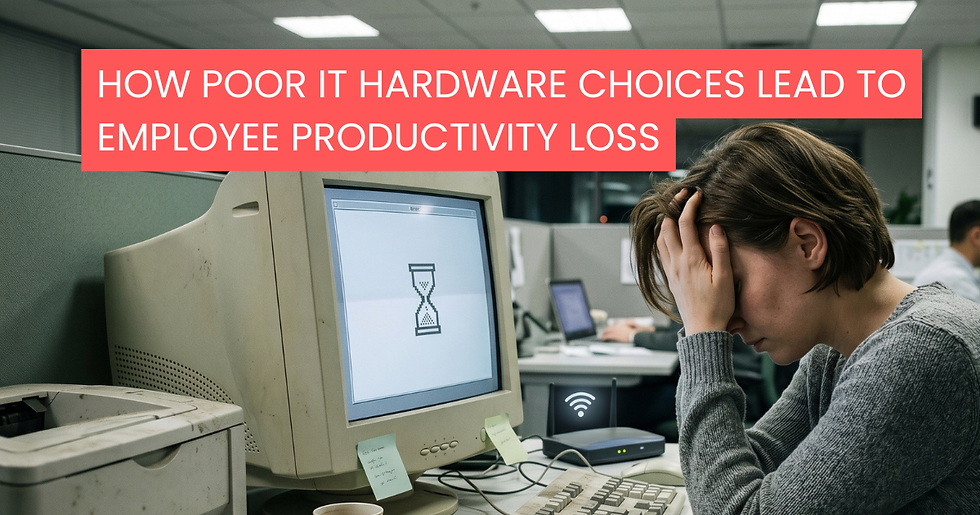
Ask anyone working in an office across Dublin, Cork, or Galway what makes their day harder, and a slow laptop usually comes up before any complaint about the morning commute. The frustration is universal, yet many Irish businesses still treat hardware as a quiet line item rather than a tool that shapes how much work actually gets done.
When a sales rep waits ninety seconds for a CRM to open, that's a small loss. When it happens forty times a day, across a team of twenty, it stops being small. The IT hardware impact on employee productivity is one of those costs that hides in plain sight — never urgent enough to fix today, but always quietly draining the week.
This blog looks at where that drain comes from, why poor hardware decisions hurt more than the budget line suggests, and what Irish businesses can do to stop bleeding hours every month.
The Hidden Hours You Lose Every Week
Most managers underestimate how much time slow hardware really steals. Studies across European workplaces have found that office staff lose an average of 20 to 30 minutes a day waiting on devices to boot, load files, render documents or recover from random crashes. That's not a guess — it's a pattern repeated in surveys across the UK, Germany, and Ireland.
Now run the maths for a 25-person team in a Dublin office:
25 minutes lost per person, per day
Roughly 100 hours are lost across the team each week
Around 4,800 hours lost per year
That's almost two and a half full-time employees' worth of output, sitting in the void between a frustrated worker and an unresponsive screen. For Irish SMEs operating on the kind of margins that don't leave much wiggle room, this isn't a rounding error. It's payroll walking out the door every single week.
If you've ever wondered why some firms quietly seem to get more done with smaller teams, hardware quality is usually part of the answer. We covered this from a slightly different angle in our piece on the hidden costs of cheap IT hardware in B2B environments — worth a read if you're sizing up your next refresh.
Where Poor Hardware Actually Hurts

Productivity loss isn't one big problem. It's a hundred small ones stacked together. Here's where the damage usually shows up.
1. Boot times and load times
A modern business laptop with an SSD and a current processor will boot in under fifteen seconds. A four-year-old machine with a worn HDD and bloated background processes can take three or four minutes before it's usable. Multiply that across a Monday morning where every person in the office is starting up at once, and you've already lost the first half hour of the working day.
2. Multitasking choke points
Most office work today means having ten or twelve tabs open, a Teams call running, a spreadsheet calculating in the background, and a Slack notification arriving every minute. Underpowered RAM and dated processors can't handle this gracefully. They lag, freeze, or quietly close apps when memory runs out. Every freeze is a context switch — and research from the University of California has shown it can take up to twenty-three minutes for someone to fully refocus after being interrupted.
3. Poor displays and eye strain
A cramped or low-resolution monitor isn't just an annoyance. It forces workers to scroll constantly, alt-tab between windows, and squint at small text. Over a day, that creates fatigue, headaches, and slower reading speeds. We unpacked this in detail in Why Your Business Monitors Could Be Costing You More Than You Think — the numbers might surprise you.
4. Failing peripherals
A printer that jams every third job. A wireless mouse with a flat battery and no spare. A docking station that drops the second monitor whenever the kettle goes on. These small failures add up fast, and they almost always pull someone else into the problem — usually a colleague or the office manager — so the time lost gets doubled.
5. Network and connectivity hardware
A weak router, an outdated switch, or a Wi-Fi access point covering too much square footage will create dropouts that look like software problems but are actually hardware ones. Calls cut out, files take ages to sync, and remote workers blame their broadband when the issue is at the office end.
The Morale Cost Nobody Talks About
Here's the part that rarely shows up in a budget meeting: poor hardware tells employees what you think of them.
When a graphic designer is handed a laptop that struggles to render in Figma, the message isn't "we trust you to do great work." It's "we'd rather you struggled than spend the money." When a sales team is given desktops that crash during pitch calls, you're putting their professional reputation at risk in front of clients.
This matters more than ever in the Irish job market, where talent in tech, finance, marketing, and engineering is in short supply. According to recent IDA Ireland and CSO data, employee turnover in professional roles has climbed steadily over the past three years. People don't usually quit over a laptop. But hardware frustration feeds into a broader feeling that an employer doesn't take their work seriously — and that does push people out.
We covered the strategic side of this in Smart Technology Investments Every Irish Business Should Make, which is worth a look if you're trying to balance budget pressure with retention concerns.
Warning Signs Your Hardware Is Holding the Team Back
If three or more of these sound familiar, your hardware is probably costing you more than you realise:
Staff routinely complain about slow startups or app crashes
IT tickets for "computer freezing" or "screen not working" come in every week
Devices in regular use are more than four years old
People have started bringing in personal laptops to get work done
Video calls regularly fail or freeze on the company-issued machines
Battery life on laptops has dropped to under two hours
You hear the phrase "I'll just restart it" more than once a day
Different team members have wildly different specs for the same role
None of these is dramatic on its own. That's exactly why they're easy to ignore — and exactly why they cost so much over time.
What Smarter Irish Businesses Are Doing Differently

The companies that get the best out of their teams aren't necessarily spending more on hardware. They're spending more thoughtfully. A few patterns stand out: They plan refresh cycles, rather than reacting to failures. Replacing a laptop because it died on a Tuesday is the worst possible time to buy one. Planned cycles let you buy the right specification for the role, take advantage of bulk pricing, and avoid emergency downtime. Our guide on building a future-ready IT hardware refresh cycle walks through how to set one up without overhauling your finance process.
They match the device to the role. A finance analyst working in Excel and Power BI all day doesn't need the same machine as a receptionist on Outlook and a booking system. Buying everyone the cheapest option saves money on paper and costs more in practice. Buying everyone the top model wastes capital. The middle path takes a bit of thought — and is where most of the value lives.
They consider the total cost of ownership, not just the sticker price. A €600 laptop that lasts two years and needs three repairs costs more than a €1,100 one that runs cleanly for five. This is one of the main reasons more SMEs in Ireland are exploring managed IT hardware solutions, where the cost is predictable, and the upgrade path is built in.
They buy from B2B specialists, not consumer retailers. Business hardware comes with warranties, security features, and support that consumer-grade equipment simply doesn't include. A laptop bought from a high street shop might look identical to a business model, but it usually isn't, and the difference shows up the first time something goes wrong.
The Bottom Line for Irish Businesses
Hardware isn't glamorous. It doesn't get a line in the company mission statement. But it sits between every employee and every piece of work they do, and that means it shapes output in a way few other investments can match.
If your team is talented but your tools aren't, the talent loses every time. The IT hardware impact on employee productivity is one of those things you only really see once you fix it — and then you wonder why you waited so long.
At DataDirect, we work with Irish businesses of every size to match hardware to the actual job, not the marketing brochure. From business-grade laptops to monitors, networking gear, and full office fit-outs, we help companies make decisions that save money over the years, not just at the till.
If you're not sure whether your current setup is helping or quietly costing you, that's a conversation worth having. Get in touch with our team for an honest assessment — no sales script, just a straight look at what's actually working and what isn't.
Talk to DataDirect about a hardware review for your team — call +353 1 296 1000 or email sales@datadirect.ie.
Frequently Asked Questions (FAQs)
1. How does outdated IT hardware affect employee productivity? Outdated hardware slows down daily tasks through long boot times, system freezes, poor multitasking performance, and connectivity issues. Over time, these small delays add up to hundreds of lost working hours across a business.
2. How often should Irish businesses replace laptops and office hardware? Most business laptops and desktops should be reviewed every 3–5 years, depending on the role and workload. Companies that follow planned refresh cycles usually experience fewer disruptions, better performance, and lower long-term costs.
3. What are the signs that office hardware is holding a team back? Common warning signs include frequent crashes, slow startup times, failing video calls, short battery life, recurring IT support tickets, and employees relying on personal devices to complete work efficiently.
4. Is buying cheaper IT hardware actually more expensive in the long run? In many cases, yes. Low-cost devices often require more repairs, become outdated faster, and reduce employee efficiency. The hidden cost of lost productivity can easily outweigh the initial savings.
5. Why should businesses buy from B2B IT hardware suppliers instead of consumer retailers? B2B suppliers provide business-grade equipment with stronger warranties, better security features, ongoing support, and hardware tailored for professional workloads — helping businesses avoid downtime and improve reliability.


Comments