
Remote Work Hardware Checklist for 2026
- Kamran Hussain
- Dec 15, 2025
- 3 min read

Updated: Apr 21

Remote work isn't a trend anymore. It's just how work happens.
And if there's one thing I've learned after years of helping Irish businesses equip their remote teams, it's that the right hardware makes or breaks productivity. A slow laptop, unreliable connectivity, or poor audio quality doesn't just frustrate employees. It costs time, damages client relationships, and creates security risks.
The good news? With the right checklist, equipping remote workers becomes straightforward. Here's what your team actually needs in 2026 to work effectively from anywhere.
The laptop: Power meets portability
This is the foundation. Your remote workers need laptops that are powerful enough to handle their workload, portable enough to move between locations, and secure enough to protect company data.
For 2026, look for laptops with at least 16GB of RAM and modern processors from Intel Core i5/i7 or AMD Ryzen 5/7 lines. These handle video calls, multitasking, and business applications without lag.
Battery life matters more than ever. Aim for 10+ hours so employees aren't tethered to outlets during meetings or while working from different locations.
And don't overlook security. Built-in features like TPM chips, biometric authentication, and encrypted storage protect your data even if a device is lost or stolen.
Displays: Because laptop screens aren't enough
Here's the reality: most people working from home need a proper monitor. Laptop screens are fine for occasional use, but for full workdays, an external display dramatically improves comfort and productivity.
A 24 to 27-inch monitor with at least 1080p resolution is the baseline. For roles involving design, data analysis, or detailed work, consider 4K displays or dual-monitor setups.
USB-C monitors are particularly useful for remote setups. They connect with a single cable that delivers video, power, and data, keeping desks clean and setups simple.
Connectivity: Speed and reliability
Remote work lives and dies on internet connectivity. While you can't control home broadband entirely, you can provide backup options.
Mobile hotspots or 4G/5G routers give employees a failsafe when primary connections drop during critical calls or deadlines. For customer-facing roles or senior staff, this redundancy is essential.
Quality routers also matter. Many ISP-provided routers struggle under the load of video calls, VPNs, and multiple connected devices. Business-grade routers with strong WiFi coverage ensure stable connections throughout the home.
Audio and video: Sounding and looking professional
Laptop webcams and microphones are improving, but they're still not enough for businesses where communication quality matters.
Invest in quality webcams with at least 1080p resolution and good low-light performance. This ensures employees look professional in client meetings and team calls.
For audio, USB headsets with noise cancellation make a massive difference. They block out background noise from home environments and deliver clear audio that keeps meetings productive. Brands like Jabra, Logitech, and Poly offer reliable options at various price points.
Docking stations: Simplifying the setup
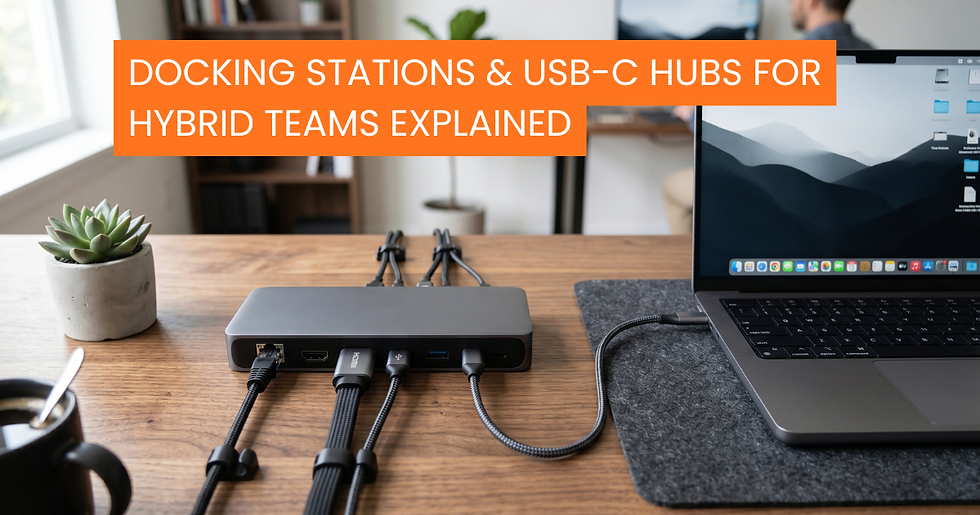
Docking stations transform laptops into full desktop setups with a single connection. Employees can plug in once and instantly access their monitor, keyboard, mouse, and peripherals.
USB-C docks are the standard now, supporting power delivery, multiple displays, and various accessories through one cable. This simplicity matters when employees are moving between home offices and other locations regularly.
Security hardware: Protection beyond software
Physical security matters for remote teams. Laptop locks prevent theft when working from shared spaces or while traveling.
Privacy screens protect sensitive information from shoulder surfers in cafes, coworking spaces, or public transport.
And for businesses handling particularly sensitive data, hardware security keys add an extra authentication layer that's nearly impossible to phish or compromise remotely.
The bottom line
Equipping remote teams properly isn't about buying the most expensive gear. It's about choosing hardware that actually enables productivity, protects your business, and supports your people wherever they're working.
In 2026, remote work hardware needs to be powerful, portable, secure, and simple to use. Get those basics right, and your team can work effectively from anywhere.
At DataDirect, we help businesses build remote work hardware packages that make sense for their teams and budgets. We source the right devices, ensure compatibility, and deliver everything your people need to stay productive and secure.
Ready to equip your remote team for 2026? Let's put together the right hardware package for your business.



Comments