
Hybrid Work Hardware Trends for 2026 & Beyond
- Kamran Hussain
- Jan 19
- 5 min read

Updated: Apr 21

Extending Your Remote Work Checklist with Future-Ready Hardware, Ergonomic Solutions, and Performance Benchmarks
Hybrid work has matured from a temporary response into a permanent operating model for modern businesses. As organisations plan for 2026 and beyond, the focus is shifting from supporting remote work to optimising hybrid performance.
For IT leaders, procurement teams, and decision-makers, the challenge is no longer about providing devices—it is about selecting reliable, scalable, and performance-driven hardware that supports employees wherever they work. This guide extends your remote work checklist by outlining the key hybrid work hardware trends, ergonomic considerations, and performance benchmarks businesses should prioritise over the next few years.
The Changing Role of Hardware in Hybrid Work
In hybrid environments, hardware directly impacts productivity, collaboration, and employee satisfaction. Employees expect the same level of performance at home as they receive in the office, while IT teams require consistency, security, and ease of management.
By 2026, successful organisations will standardise hybrid work hardware around:
Consistent user experience across locations
Enterprise-grade performance and reliability
Ergonomic solutions that reduce fatigue
Hardware that supports cloud-first and AI-enabled workflows
This shift requires moving away from reactive purchasing toward strategic IT procurement.
Hybrid Work Hardware Trends Shaping 2026 & Beyond
1. Business-Grade Laptops as the Core Device
Laptops will remain the foundation of hybrid work, but expectations around performance will continue to rise. Modern workloads include video conferencing, collaboration platforms, cloud applications, and AI-assisted tools—all running simultaneously.
By 2026, baseline standards for business laptops will include:
High-efficiency processors designed for sustained workloads
Minimum 16GB RAM for smooth multitasking
Fast SSD storage to reduce downtime
All-day battery life without sacrificing performance
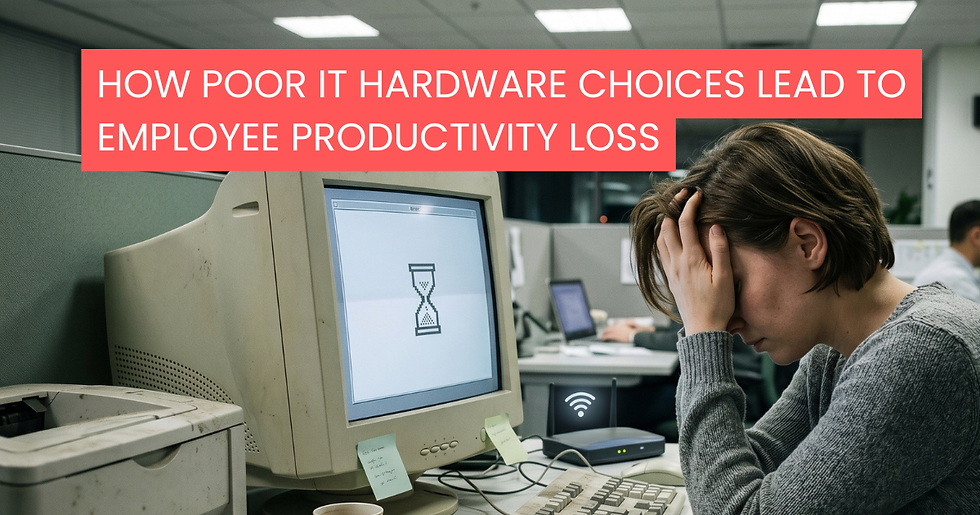
Underpowered devices lead to productivity loss and increased support costs, making performance-first hardware a necessity rather than a luxury.
2. Docking Stations for Seamless Location Switching
As employees move between home and office environments, docking stations have become essential. A single-cable connection that delivers power, display output, and network access improves efficiency and reduces setup friction.
Future-ready hybrid setups will include:
Universal docking stations compatible with multiple devices
Support for dual or triple monitors
High-speed data and peripheral connectivity
Docking stations help standardise workspaces while keeping flexibility intact.
3. Multi-Monitor Setups as a Productivity Standard
Single-screen workflows are increasingly limiting in hybrid roles. By 2026, dual-monitor or ultra-wide display setups will be standard for knowledge workers.
Benefits include:
Improved multitasking and workflow visibility
Reduced application switching
Better collaboration during virtual meetings
Businesses that invest in display hardware see measurable gains in efficiency and output.
Ergonomic Hardware: A Strategic Investment, Not an Add-On

Ergonomics is no longer optional. Poor workstation setups lead to fatigue, discomfort, and long-term health issues, directly impacting productivity and employee retention.
4. Ergonomic Input Devices
Keyboards and mice designed for ergonomics are becoming a baseline requirement for hybrid employees.
Key advantages:
Reduced strain on wrists and hands
Improved comfort during long working hours
Increased typing accuracy and efficiency
These devices are low-cost improvements with long-term benefits.
5. Chairs, Desks, and Sit-Stand Solutions
Hybrid workers often spend extended hours at home in non-ideal setups. Forward-thinking organisations are addressing this by providing:
Ergonomic office chairs for home use
Sit-stand desks to encourage movement
Adjustable desk accessories to support posture
Supporting employee well-being through ergonomic hardware directly improves performance and engagement.
6. Monitor Positioning and Desk Ergonomics
Incorrect monitor height and desk layout are common issues in home offices. By 2026, best practices will include:
Monitor arms or risers for eye-level alignment
Desk layouts that reduce neck and shoulder strain
Flexible setups that adapt to different work styles
Small ergonomic adjustments significantly reduce fatigue and long-term health risks.
Performance Benchmarks for Hybrid Work Hardware

Hardware decisions should be guided by clear performance benchmarks, not assumptions.
7. Defining Laptop Performance Standards
Organisations should establish minimum performance benchmarks for hybrid devices, including:
Fast boot and application launch times
Smooth video conferencing without lag
Reliable multitasking across cloud platforms
Consistent performance under sustained workloads
Clear benchmarks simplify procurement and improve user satisfaction.
8. Connectivity and Network Capability
Hybrid productivity depends on stable connectivity. Hardware should support:
Modern Wi-Fi standards for reliability
Seamless Bluetooth connectivity for peripherals
Secure authentication for enterprise networks
Devices that struggle with connectivity create unnecessary friction.
9. Security-Enabled Hardware
Security is increasingly embedded at the hardware level. By 2026, hybrid work devices will commonly include:
Biometric authentication
Hardware-based encryption
Secure boot and firmware protection
These features reduce risk while keeping the user experience friction-free.
Updating the Hybrid Work Hardware Checklist
To remain competitive, organisations should extend their remote work checklist to include:
High-performance business laptops
Docking stations for flexible work locations
Dual or ultra-wide monitors
Ergonomic keyboards, mice, and chairs
Adjustable desk and monitor solutions
Defined performance benchmarks
Security-integrated hardware
This approach ensures consistency, scalability, and long-term value.
Strategic Procurement for Hybrid Work Success
Selecting the right hybrid work hardware is not just a technical decision—it is a strategic one. Businesses increasingly rely on experienced IT partners to simplify procurement, compare options, and ensure compatibility across environments.
Companies like DataDirect support organisations by sourcing, benchmarking, and delivering business-ready hardware tailored to modern hybrid work requirements. With the right procurement strategy, organisations can reduce complexity while improving performance and employee experience.
Preparing for Hybrid Work Beyond 2026
Hybrid work will continue to evolve, but the fundamentals remain clear: performance, ergonomics, and reliability matter. Organisations that invest early in future-ready hardware will benefit from higher productivity, lower support costs, and better employee retention.
By working with trusted technology partners such as DataDirect, businesses can align their hardware strategy with long-term goals and stay ahead of hybrid work demands well beyond 2026.
Conclusion

Hybrid work is here to stay, and by 2026, it will demand smarter hardware decisions than ever before. Businesses that invest in performance-driven devices, ergonomic solutions, and clearly defined benchmarks will be better positioned to support productivity, employee well-being, and long-term scalability. A future-ready hybrid work strategy starts with the right hardware foundation—and making informed choices today will reduce operational friction tomorrow.
FAQs
1. What are the key hybrid work hardware trends for 2026?
The main trends include high-performance business laptops, universal docking stations, multi-monitor setups, and security-enabled hardware designed for flexible work environments.
2. Why is ergonomic hardware important for hybrid work?
Ergonomic hardware reduces fatigue, prevents long-term health issues, and improves employee productivity, especially for hybrid workers who spend extended hours at home.
3. What performance benchmarks should businesses consider for hybrid devices?
Businesses should focus on fast boot times, smooth multitasking, reliable video conferencing performance, strong connectivity, and consistent performance under daily workloads.
4. How does hybrid work change hardware procurement strategies?
Hybrid work requires standardised, scalable hardware that performs consistently across home and office setups, making strategic procurement more important than ad-hoc purchasing.
5. How can organisations future-proof their hybrid work hardware?
Organisations can future-proof their hardware by selecting business-grade devices, prioritising ergonomics, defining performance benchmarks, and working with experienced IT procurement partners.



Comments